Engaging Both In-Person and Remote Students: A Hybrid Classroom Guide
Practical strategies for creating equitable, engaging learning experiences when teaching hybrid classes with both in-person and remote students.
Michael Torres
Instructional Designer
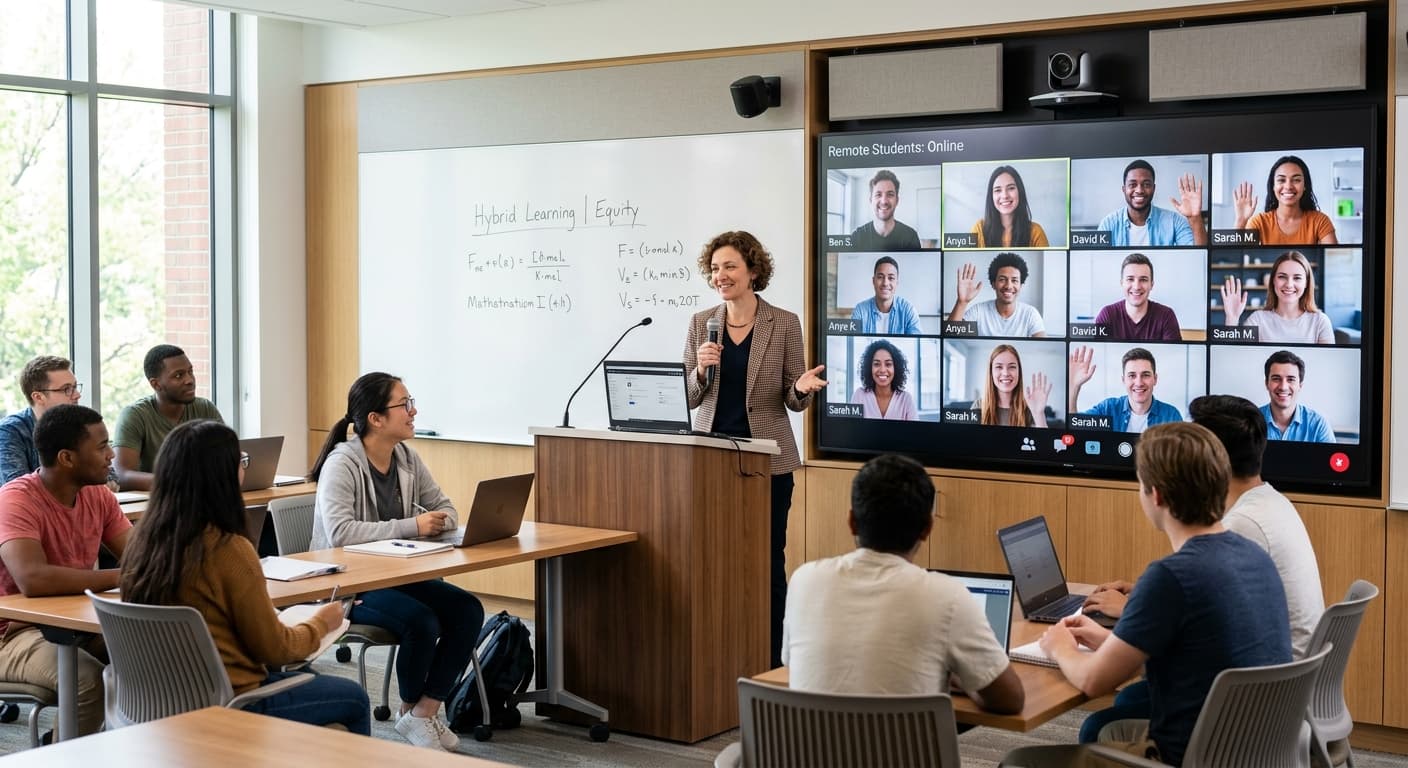
Teaching a hybrid classroom—where some students are in-person and others join remotely—is one of the most challenging instructional formats. But with the right strategies, you can create an engaging experience for everyone.
The Hybrid Challenge
The fundamental problem with hybrid teaching is attention split. You're essentially teaching two classes simultaneously, and it's easy for remote students to become passive observers rather than active participants.
Common issues include:
- Remote students feeling like second-class citizens
- Technical difficulties disrupting flow
- Difficulty managing discussions across modalities
- In-person students dominating participation
Principles for Hybrid Success
1. Design for Remote First
If an activity works for remote students, it almost always works for in-person students too. The reverse isn't true.
When planning, ask: "How will my remote students participate in this?" If you don't have a clear answer, redesign the activity.
2. Create Equitable Participation Channels
Use digital tools that put everyone on equal footing. When all students—in-person and remote—respond to polls through their devices, modality becomes invisible.
3. Acknowledge Both Audiences
Make explicit verbal acknowledgments: "I see questions coming in from our online participants" or "Let's hear from someone in the room, then someone online."
4. Minimize Technology Friction
The more tech problems you have, the more remote students disengage. Test everything beforehand and have backup plans.
Practical Strategies That Work
Warm-Up Polls
Start every class with a quick poll that everyone answers on their device. This:
Collaborative Digital Documents
Use shared documents where students contribute regardless of location. Everyone can see everyone's input in real-time.
Structured Discussion Protocols
Random calling on students doesn't work well hybrid. Instead:
Breakout Rooms with Mixed Groups
When possible, put in-person and remote students together in breakout rooms. This builds community across modalities.
Recording for Equity
Record sessions so students with connectivity issues can catch up. This also helps in-person students who were absent.
Technology Setup Tips
Audio Is Everything
Remote students can tolerate mediocre video, but poor audio makes participation impossible. Invest in:
Camera Positioning
Place your camera to capture both you and any whiteboard/presentation. Remote students shouldn't have to choose between seeing you and seeing content.
Multiple Monitors
If possible, use one screen for your presentation and another to monitor the video call, chat, and participant list.
Dedicated Chat Monitor
For larger classes, assign a TA or student to monitor chat and surface important questions or comments.
Activities That Work Well Hybrid
Works Great:
Needs Adaptation:
Difficult to Adapt:
Common Mistakes to Avoid
Forgetting Remote Students Exist
It's easy to get absorbed in the energy of in-person students. Set reminders to check in with remote participants regularly.
Over-Relying on Chat
Chat is useful but limited. Make sure remote students also have voice participation opportunities.
Treating Hybrid as Temporary
If you approach hybrid as a temporary inconvenience, you'll never invest in doing it well. Embrace it as a legitimate teaching modality.
Ignoring Fatigue
Hybrid teaching is exhausting. Build in breaks for yourself and accept that some days will be better than others.
Making Remote Students Feel Present
Small touches make a big difference:
- Learn and use remote students' names
- React visibly to their chat contributions
- Ask follow-up questions to their responses
- Include them in casual conversation before/after class
- Create opportunities for remote students to share their environment
Assessment in Hybrid Classrooms
Synchronous Assessment
Use real-time polling and quizzes that all students complete simultaneously. This ensures equitable timing and prevents answer-sharing.
Asynchronous Options
Provide flexible submission windows for assignments when synchronous completion isn't essential.
Participation Tracking
Use digital tools that automatically track participation. This gives you objective data rather than relying on perception (which often favors in-person students).
Building Hybrid Community
The biggest risk of hybrid is a fragmented class community. Counter this by:
- Having all students introduce themselves digitally
- Creating mixed-modality study groups
- Using discussion boards for between-class interaction
- Celebrating both in-person and remote student achievements publicly
Looking Ahead
Hybrid teaching is here to stay. The flexibility it offers students is too valuable to abandon. The educators who master hybrid now will have a significant advantage in the years ahead.
Start by implementing one strategy at a time. Perfect your hybrid warm-up routine before adding hybrid breakout rooms. Build your skills incrementally.
The goal isn't perfect hybrid teaching—it's continuous improvement toward more equitable, engaging experiences for all your students.