Student Response Systems Compared: Finding the Right Fit for Your Classroom
An honest comparison of classroom polling and response systems. We break down features, pricing, and ideal use cases to help you choose.
Amanda Chen
Instructional Technology Specialist
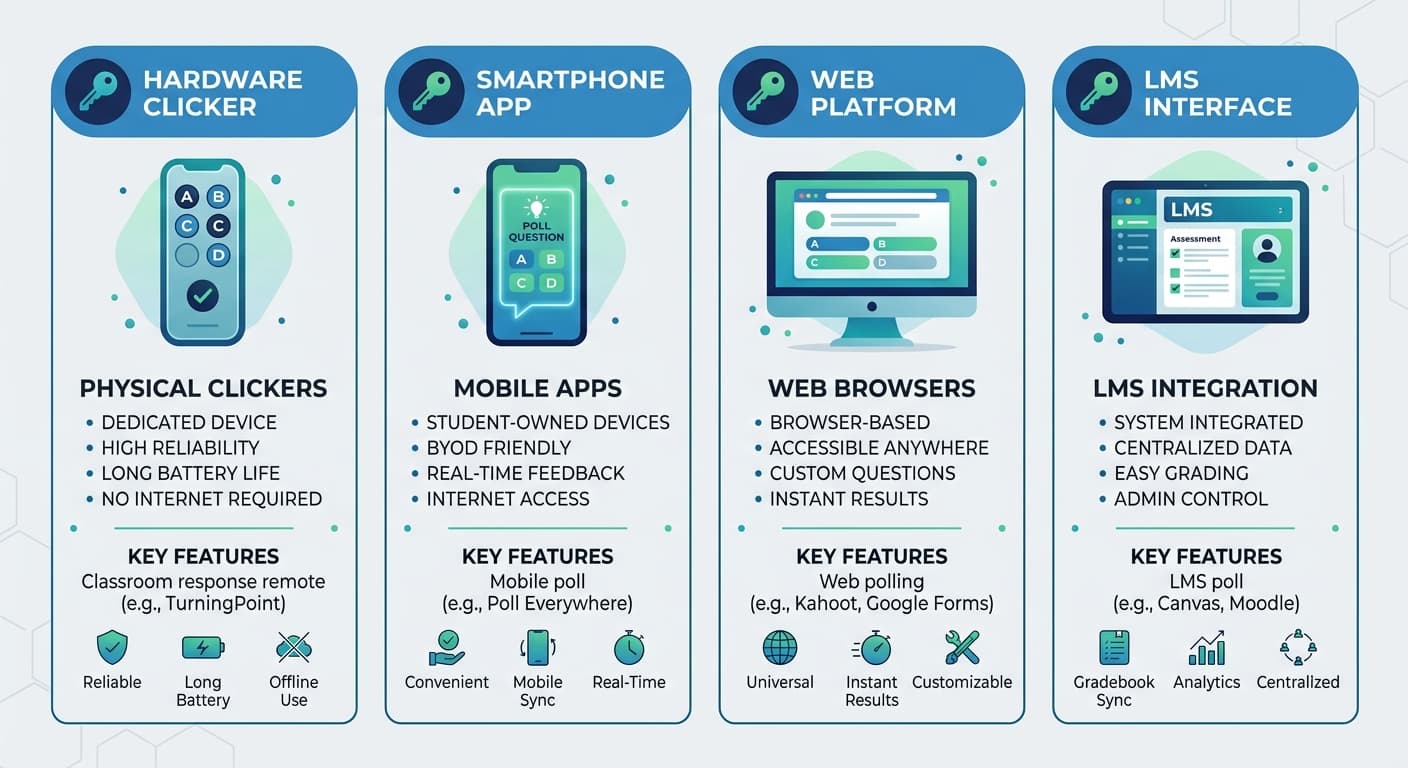
Choosing a student response system can be overwhelming. There are dozens of options, each claiming to be the best. This guide cuts through the marketing to help you find what actually fits your needs.
What to Consider Before Choosing
Your Teaching Context
Different contexts have different requirements:
K-12 Classroom
Higher Education
Corporate Training
Your Primary Use Case
What will you use it for most?
- Quick comprehension checks: Need speed and simplicity
- Graded assessments: Need security and grade tracking
- Discussions: Need threading and moderation
- Attendance: Need verification and reporting
Your Technical Environment
Consider constraints:
- What devices do students have?
- Is Wi-Fi reliable?
- Do you have IT support?
- What's your budget?
Key Features to Evaluate
Question Types
Basic systems offer multiple choice only. Look for:
Response Options
How will students respond?
- Web-based: Works on any device with a browser
- Native app: May offer better features but requires download
- Hardware clickers: Reliable but expensive and outdated
- SMS: Works without internet but limited features
Analytics and Reporting
What insights do you need?
- Individual student tracking
- Question-level analysis
- Historical comparisons
- Export capabilities
- Real-time dashboards
Integration
What other systems must it work with?
- LMS (Canvas, Blackboard, Moodle)
- Video conferencing (Zoom, Teams)
- Google Workspace
- Single sign-on
Honest Assessment of Options
Hardware Clickers (iClicker, Turning)
Pros:
Cons:
Best for: Institutions committed to provided devices and with unreliable Wi-Fi
Freemium Web Tools (Kahoot, Mentimeter, Poll Everywhere)
Pros:
Cons:
Best for: Occasional use, informal settings, tight budgets
Education-Focused Platforms (ClassTempo, Nearpod, Pear Deck)
Pros:
Cons:
Best for: Regular classroom use, outcome-focused instruction
LMS Built-in Tools
Pros:
Cons:
Best for: Institutions avoiding new tools
Making the Decision
Step 1: Define Requirements
List must-haves vs. nice-to-haves. Be specific:
Step 2: Pilot with Real Students
Free trials should be actual classroom tests, not just demos. Evaluate:
Step 3: Calculate True Cost
Include:
Step 4: Plan for Success
Before buying, answer:
Questions to Ask Vendors
1. What happens to my data if I cancel? 2. How do you handle student privacy? 3. What's your uptime guarantee? 4. How often do you ship updates? 5. Can I talk to similar customers? 6. What does implementation support include? 7. How do you handle technical issues during class?
Red Flags to Watch For
- No free trial or pilot option
- Per-student pricing without institutional options
- No clear data privacy policy
- Can't provide customer references
- Features require additional modules/costs
- No LMS integration roadmap
- Support only via chatbot
Our Recommendation Framework
Choose simplicity if you're new to response systems, have limited tech support, or want minimal friction.
Choose depth if you're experienced with edtech, have strong IT support, and need advanced analytics.
Choose integration if your LMS is central to your workflow and you want unified student data.
Choose flexibility if you teach multiple formats (in-person, hybrid, online) or contexts.
Final Thoughts
The best student response system is the one you'll actually use. A sophisticated tool that stays unused is worse than a simple tool used daily.
Start with your pedagogical goals. What do you want students to do differently? Then find technology that enables that behavior with minimal friction.
And remember: you can always switch later. Don't let analysis paralysis prevent you from starting.